UCare Account Deletion
If you wish to delete your UCare account, follow these step-by-step instructions below. This process is permanent and irreversible, so please make sure you want to proceed.
Open the UCare App
Open the UCare app on your device.
Navigate to Settings
Go to Home and tap on Settings.

Access Edit Profile
In Settings, choose Edit Profile.

Find Delete Account Option
Scroll to the bottom and tap on the Delete Account button.

Transfer Admin Rights (If Applicable)
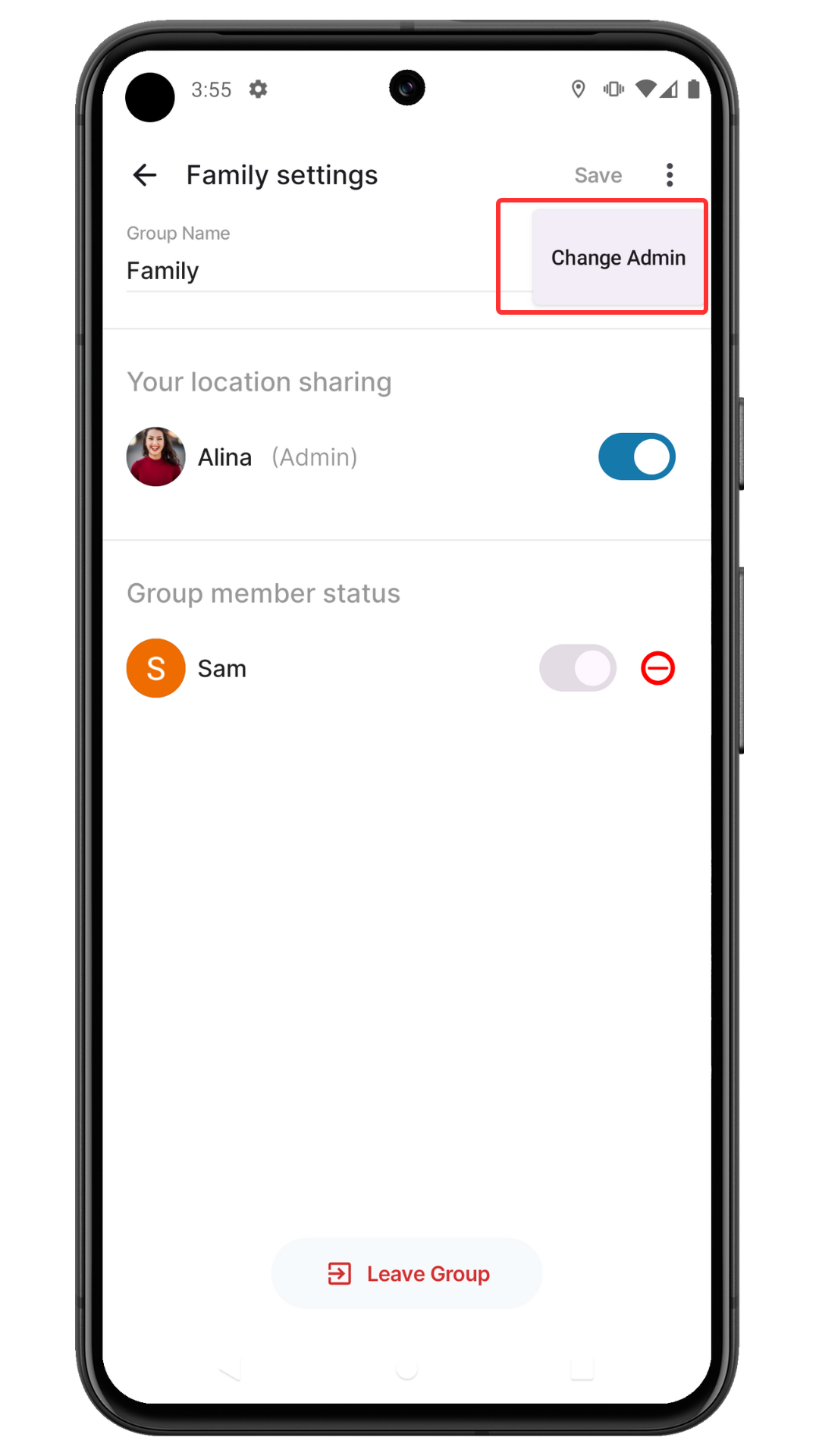
If you are an admin of any group, a dialog box will appear requesting you to transfer admin rights before account deletion. Click the Change Admin button to proceed to the Settings screen.

Select New Admin
Select the group and tap on the More Options button.
- When the menu appears, tap Change Admin
- Select a new admin from the list on the Change Admin screen
Final Confirmation
Once you have transferred all admin rights (or if you were not an admin), you'll see a final confirmation dialog. Tap Delete Account to proceed with account deletion.

Account Deletion Complete
Your account will be deleted, and you will be logged out of the app automatically.
🆘 Need Help?
If you encounter any issues or need further assistance during the account deletion process, you can submit a support request by going to:
Home → Settings → Contact Support
Our support team will help you resolve any problems you may encounter.
What Happens After Account Deletion?
- Immediate Effect: You'll be logged out and lose access to the app
- Group Impact: You'll be removed from all family groups and spaces
- Data Deletion: All your personal data will be permanently deleted within 30 days
- Location Sharing: Your location will no longer be shared with family members
- Messages: Your messages will become unreadable due to encryption
- Custom Places: Places you created may be transferred to other group members or deleted
Before You Delete - Consider These Alternatives
Before permanently deleting your account, consider these alternatives:
- Take a Break: Simply log out and uninstall the app temporarily
- Adjust Privacy: Turn off location sharing in settings
- Leave Groups: Exit specific groups while keeping your account
- Disable Notifications: Turn off all notifications in app settings
Contact Support
If you need additional help or have questions about account deletion:
AppJUK Software Support
Email: support@appj.uk
Website: https://appj.uk
We typically respond to support requests within 24-48 hours.
UCare - Stay Connected, Anywhere!
© 2025 AppJUK Software. All rights reserved.